

Every device you own, on a maintenance schedule.
Enter/scan a serial number or VIN. Maintencify identifies the device, generates a maintenance plan for it, and reminds you when a task is due.
Tracks
Appliances · HVAC · Vehicles · Tools · Osmosis filters · More
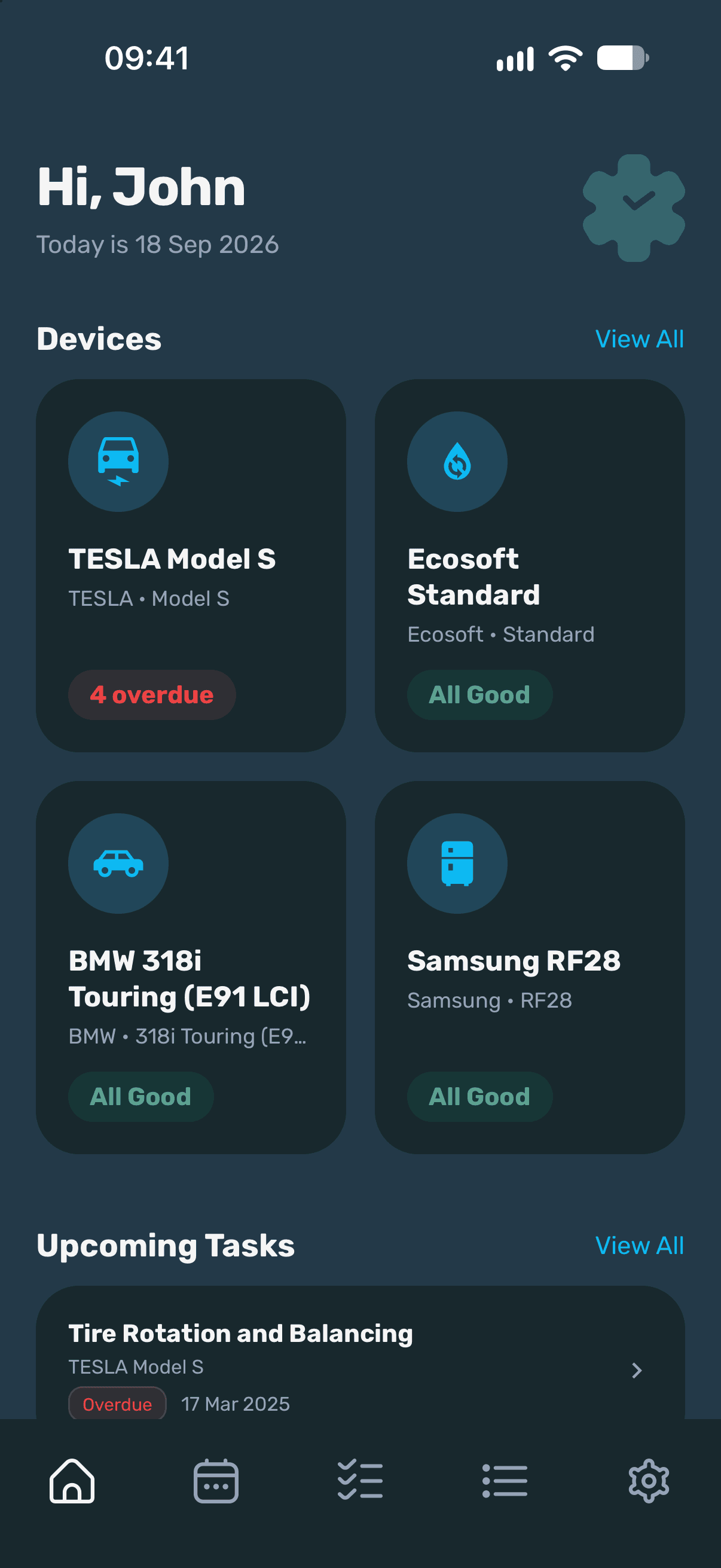
Maintenance only feels optional until it isn’t.
The manual is in a drawer
Service intervals are printed on page 34 of a booklet nobody opens twice.
Nothing tells you when
A osmosis filter, a heat pump coil and an oil change in your car all run on different clocks.
So it gets done late
Usually once something starts making a noise, and usually at a cost.
Maintencify keeps the schedule instead. One device list, one calendar, one reminder at a time.
How It Works
Three steps per device.
Enter device identifier
It can be VIN for your vehicle or Serial Number for devices. Scan it with the camera or type it in.
Confirm the match
Maintencify returns the most likely manufacturer and model. Pick the right one, or add the device manually.
Save the plan
Recommended tasks arrive with an interval and a due date. Edit anything, then save it to your calendar.
Features
What the app does.
A maintenance plan per device
Generated from the manufacturer, model and year, then yours to edit.
VIN and serial scanning
Point the camera at the plate. No typing out sixteen characters.
Reminders before it’s due
Push notifications ahead of the due date, so a task lands before it’s overdue.
One calendar for everything
Every device’s tasks on a single month view, colour-coded by status.
Full service history
Mark a task complete and it stays on the record, with the date it was done.
Devices grouped by category
Kitchen, Climate, Vehicle, Outdoors, Plumbing. Filter to the one you need.
Screens
A closer look inside the app.
Track your devices, follow their maintenance plans, and stay on top of every task.
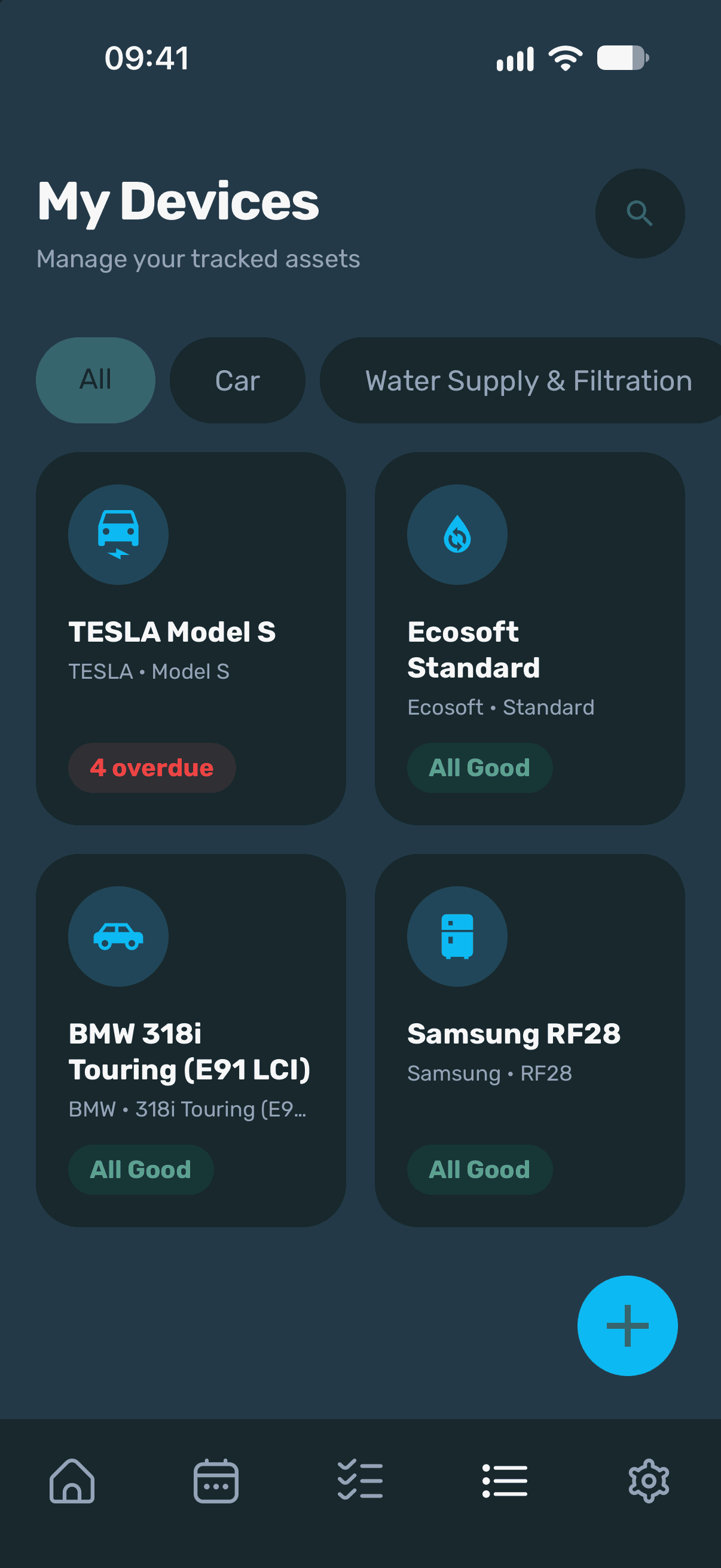
My Devices
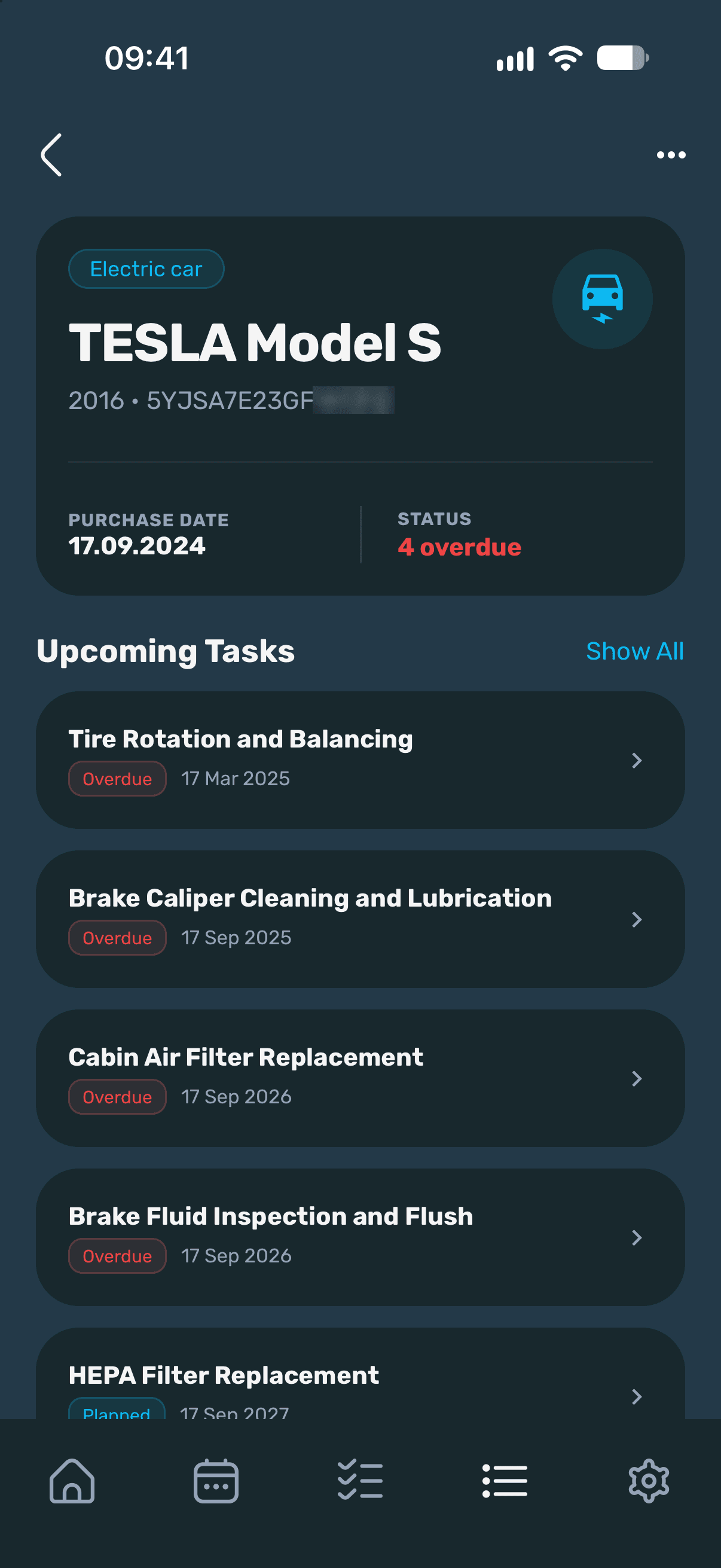
Device Details
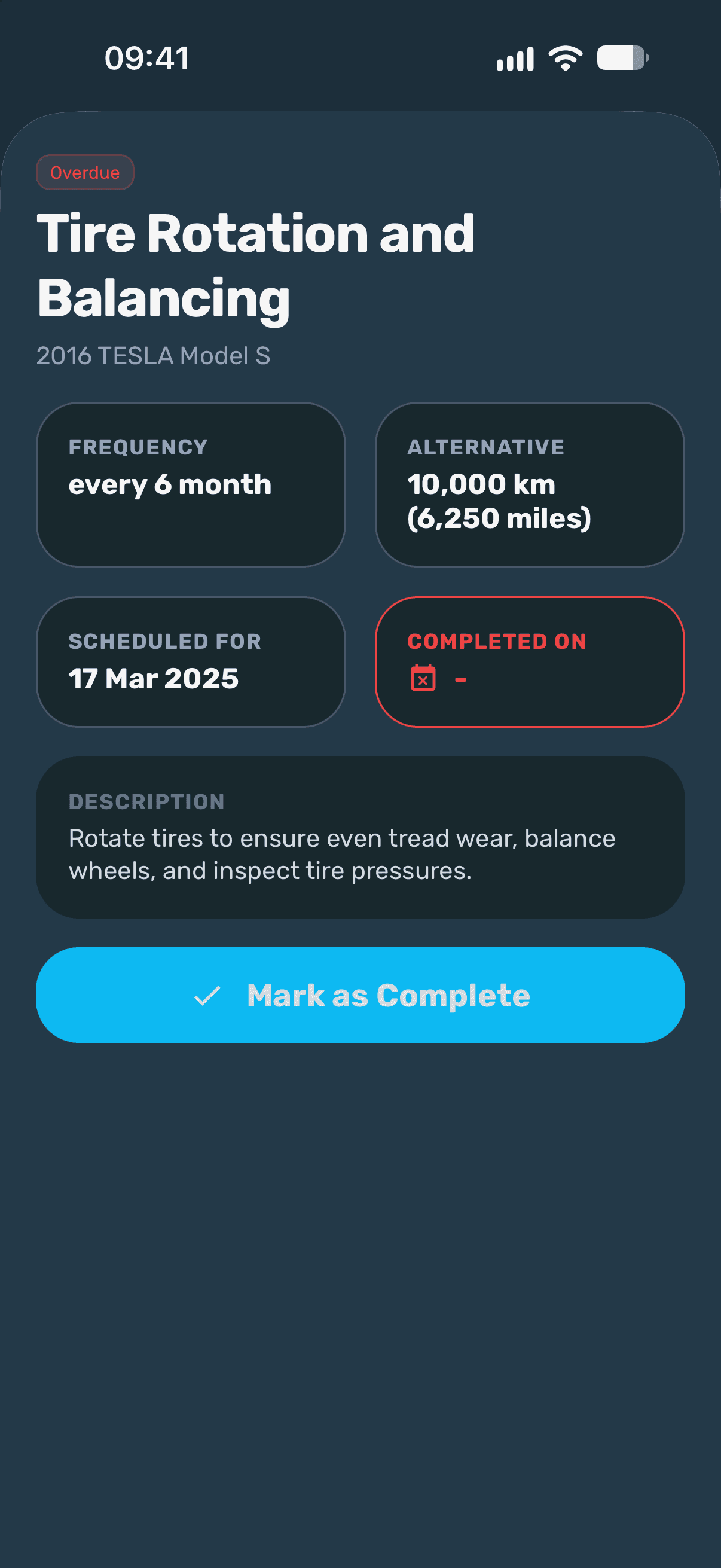
Task Details
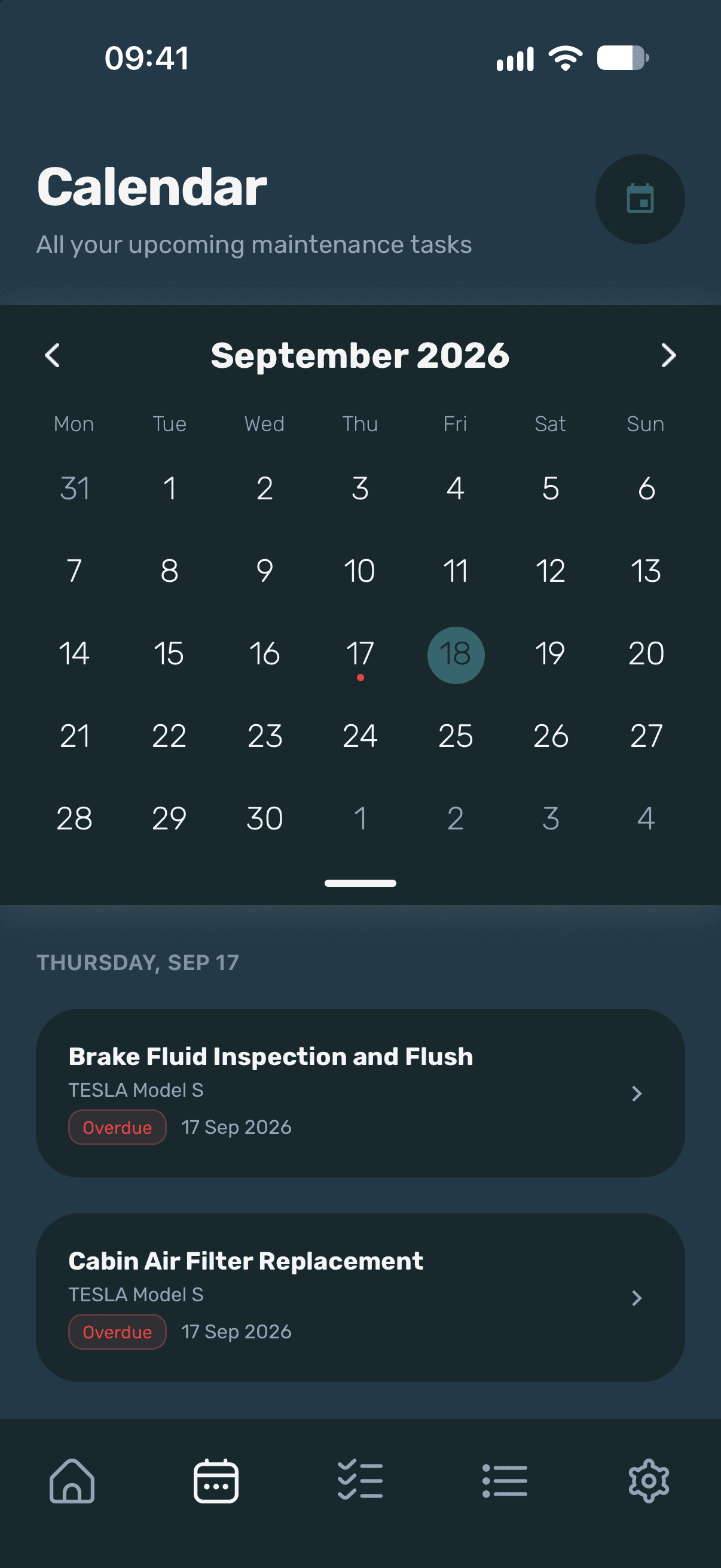
Calendar
Pricing
Free for three devices.
Pricing is set per store and shown in your local currency at purchase. Subscriptions renew automatically unless cancelled.
Coming soon…
Maintencify is in development for iOS and Android. The App Store and Google Play links will appear here at launch.
FAQ
Questions.
Which platforms do you support?
Maintencify is available for iOS and Android, with your data synced across both.
What can I track?
Appliances, osmosis filters, vehicles, bikes and tools — anything with a serial number or VIN, plus anything you enter by hand.
Do I need the serial number?
No. If lookup finds nothing, or you would rather skip it, you can add the device manually and still get a plan.
Where do the plans come from?
They are generated from the device’s manufacturer, model and year, then presented as recommended tasks you can edit before saving.
Can I change a task?
Yes. Intervals, due dates, descriptions and reminders are all editable, and you can add tasks of your own.
How do I cancel Pro?
In your App Store or Google Play account settings, any time before the current period ends.